An Intro to Working with Vectors

Vectors are images that are suitable for illustrations that contain precise measurements. A vector is different from a bitmap image (jpg) because its information is much simpler, and it is scalable to any size and can be edited freely. Vectors are not as useful for displaying photo-realistic images like photographs because those types of images generally do not contain well-defined shapes and curves. In this tutorial, you will learn how to work with a vector to make it easily editable for you. You will change the color of individual shapes, color many shapes together, and edit a path, which is what defines a shape in Illustrator.

Let’s use this vector from contributor Fixer00.

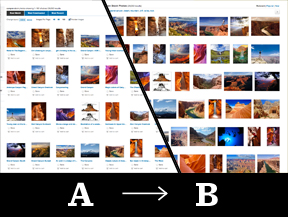
1. Find your vector image. To narrow your search down to vector images only, make sure the “Vectors” checkbox is clicked. Once you find your image, download it, making sure you click the “vector” option. You’ll then download an .eps file.

Read More

Eight Illustrations That Will Melt Your Heart

It’s wintertime here in NYC, and boy, do we need some smiles. Thank goodness there’s Valentine’s Day to remind us all of what really matters: Love. So, turn that frown upside down, and take a look at these eight heartwarming illustrations. Each illustration is available for immediate downloading. “You Make Me Feel Like A Kid Again” …

Read More

Movie Magic

A tutorial in movie poster design by Art Director and founder of Pureworks, Victoria Jordan.

Lately, I’ve been inspired by a few of the big summer movies like the Dark Knight Rises and The Bourne Legacy which I was lucky enough to screen last week (definitely go see it…lots of great action!) As an homage to summer blockbusters, I looked for a subject among the cool images that Bigstock has to offer. I found this one, which I love, that made me think of the new Total Recall remake. With that inspiration in mind, I’m going to design a poster inspired by Total Recall, in celebration of the summer blockbuster. Keep in mind this is just an inspirational ad. Make sure to check copyright laws when working on your own designs.

Read More

Compositing Images, Part 2

Part 2 in a series of Photoshop tutorials by Art Director and founder of Pureworks, Victoria Jordan. In case you missed the first tutorial in the series, click here for a quick refresher. In the first tutorial we added some shiny red lips to an existing stock image of a woman’s face. For this next…

Read More

Compositing Images: Part 1

A Photoshop tutorial by Art Director and founder of Pureworks, Victoria Jordan. In this next tutorial, we’re going to be compositing a single face from many other faces. Sometimes, when you work in a marketing department, as I have for most of my career, it becomes necessary to have a certain level of retouching skills.…

Read More

Placing Photos into Round 3D Surfaces

A Photoshop tutorial by Art Director and founder of Pureworks, Victoria Jordan. In this tutorial, we’ll focus on superimposing images onto a more complex 3D objects.  Last time we put images onto flat surfaces. This time, we’ll put images onto round objects, which is a little trickier. First, I’ll pick my round object. I’m going…

Read More